// Case study · Businessolver · 2020–2021

Sofia AI & MyChoice Mobile

An award-winning AI benefits assistant, and the self-service system behind it, so members could finish high-stakes tasks without calling support.
Role
Principal UX Designer
Platform
Web, iOS and Android
Scope
Member AI, self-service and admin tools
Recognition
Stevie Gold · HR Tech Award
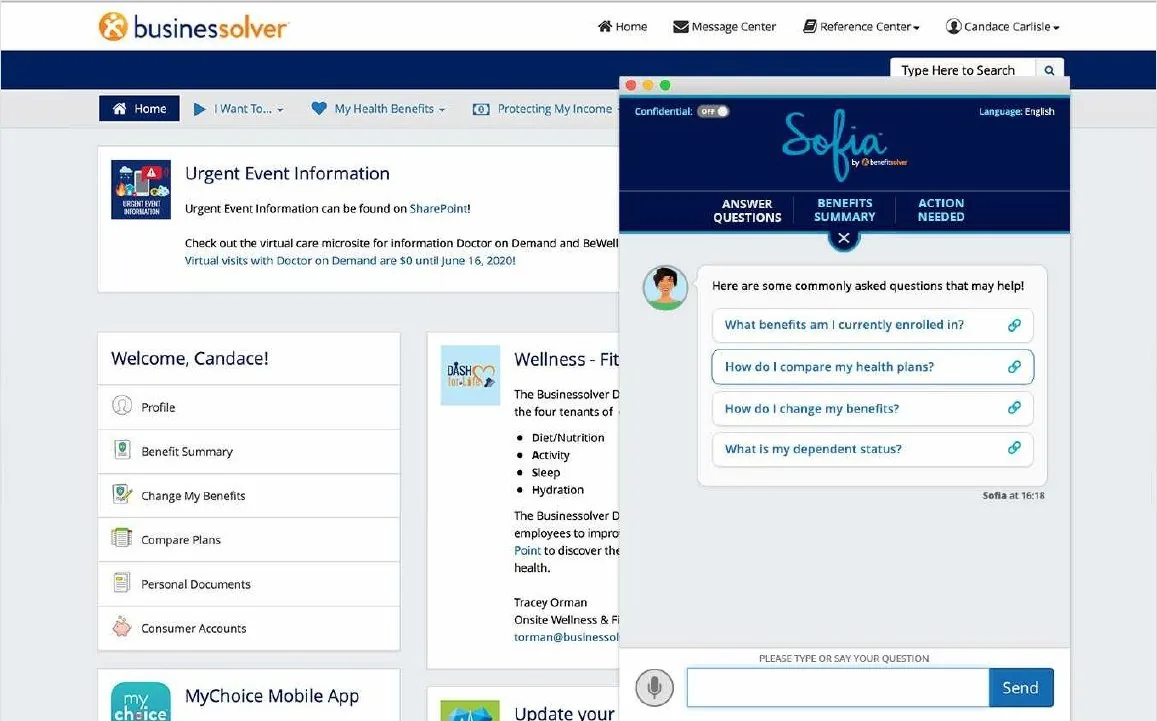
Sofia opening inside the Businessolver member portal with suggested questions
// The challenge

High stakes, heavy documents, too many calls.

Businessolver’s benefits platform serves large enterprise HR clients. Members had to get through document-heavy, high-stakes processes, like life events, dependent verification, tax documentation and plan comparison, inside a system with high support-call volume and low self-service completion.

The work: a conversational AI assistant and a document-verification system complex enough for real compliance requirements, simple enough that members could self-serve, with the admin tools enterprise clients needed to run it at scale.

// Member experience · Sofia AI

A conversational system, not just a chatbot.

I directed UX for Sofia and the MyChoice Mobile dashboard, building a full conversational UI system with suggested-content cards, button-list treatments with pagination and plan comparison, documented in a style guide for desktop and mobile.

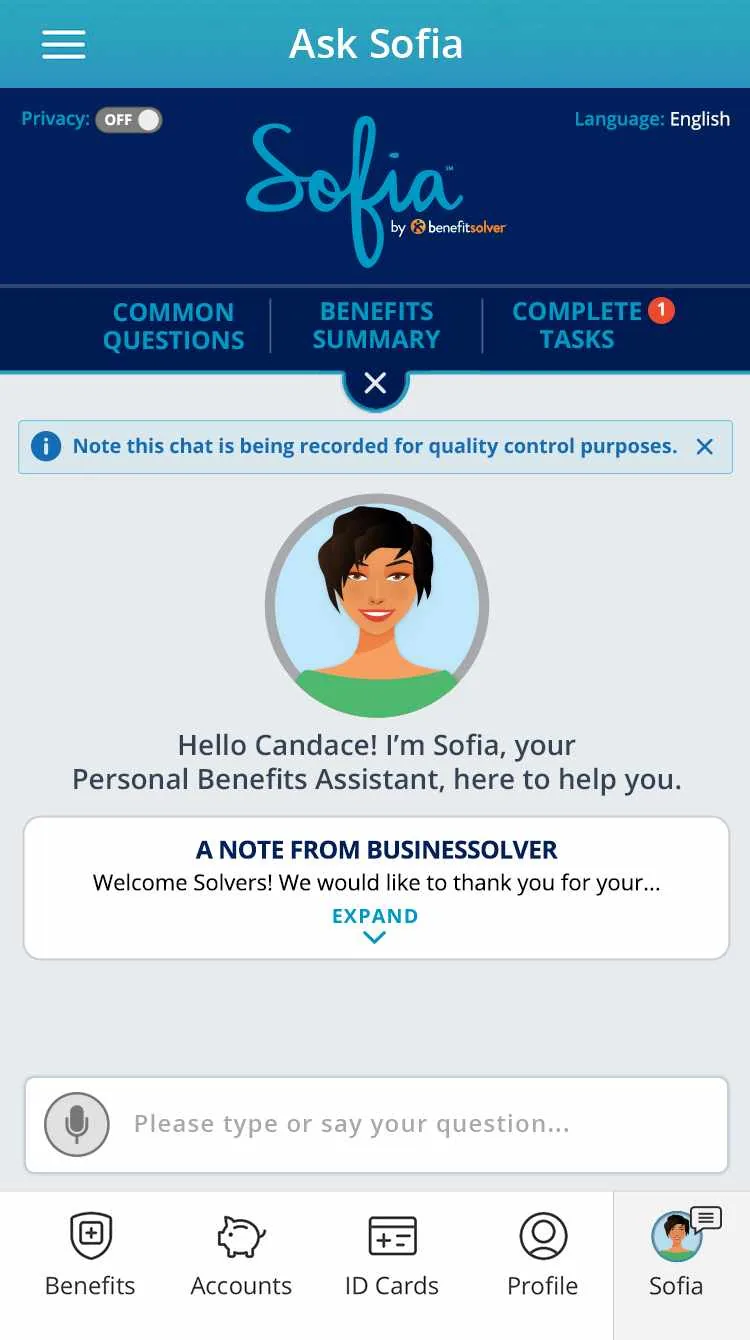
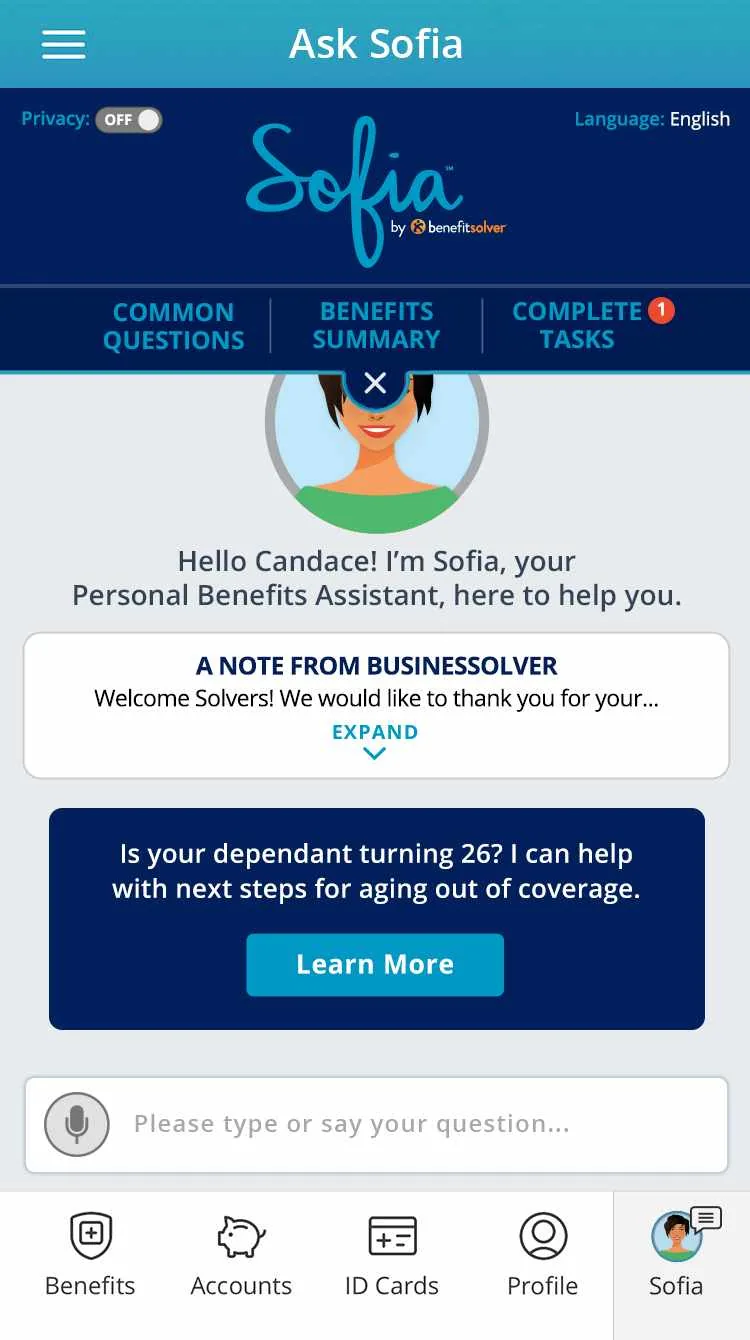
Ask Sofia start screen: Sofia greets the member by name, with common questions, benefits summary and complete tasks tabs
01 · Greet

A personal hello

Sofia opens by name with three clear next steps, so members never face an empty chat box.

Passive engagement card in Ask Sofia: a dependent turning 26 can get help with next steps
02 · Suggest

Passive engagement

Suggested-content cards surface what’s timely, like a dependent about to age out of coverage, before you ask.

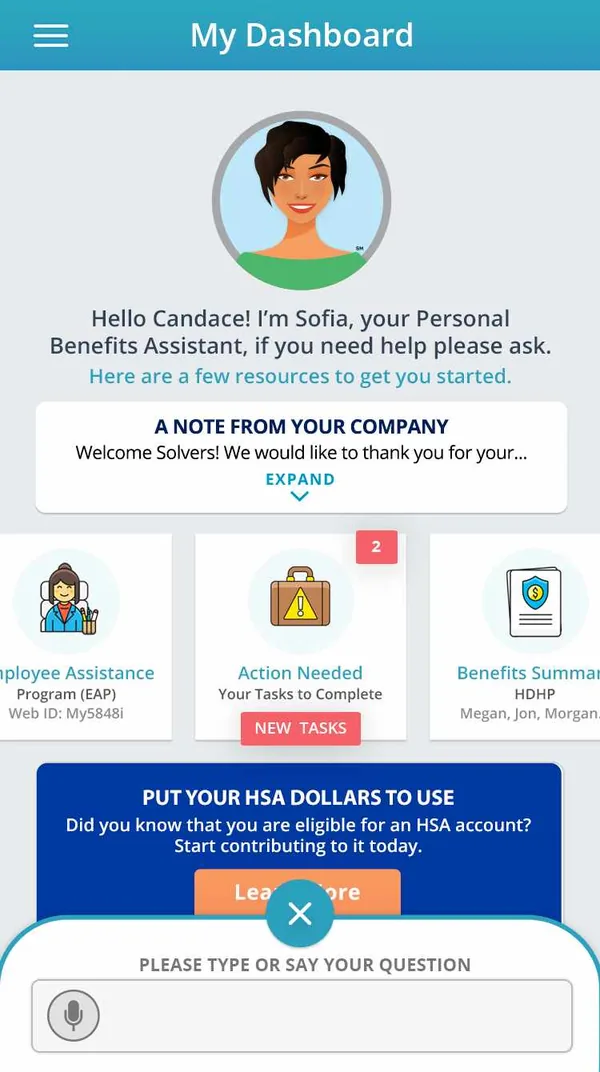
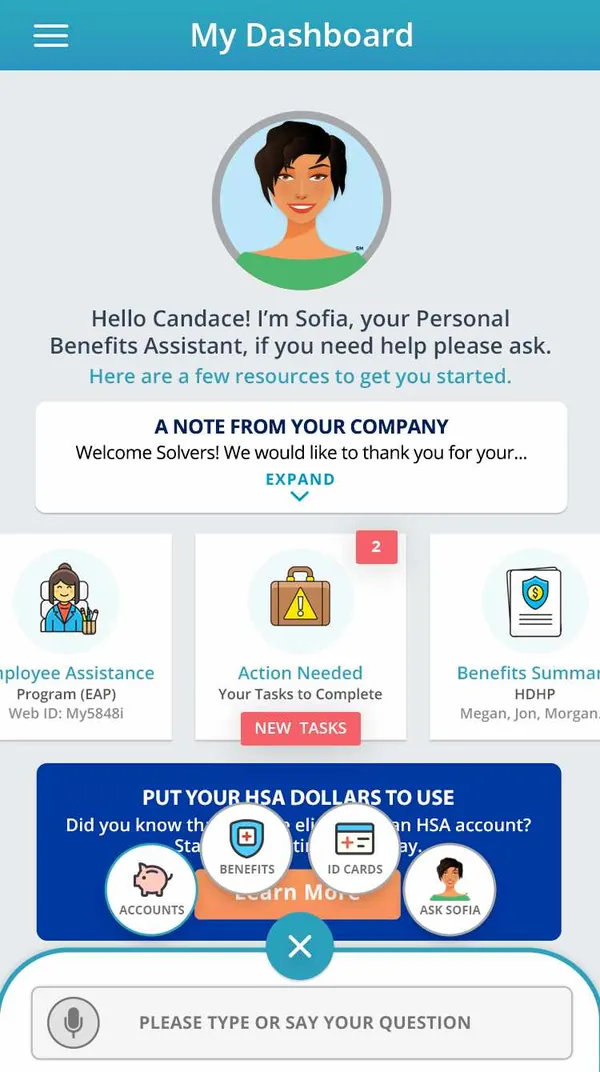
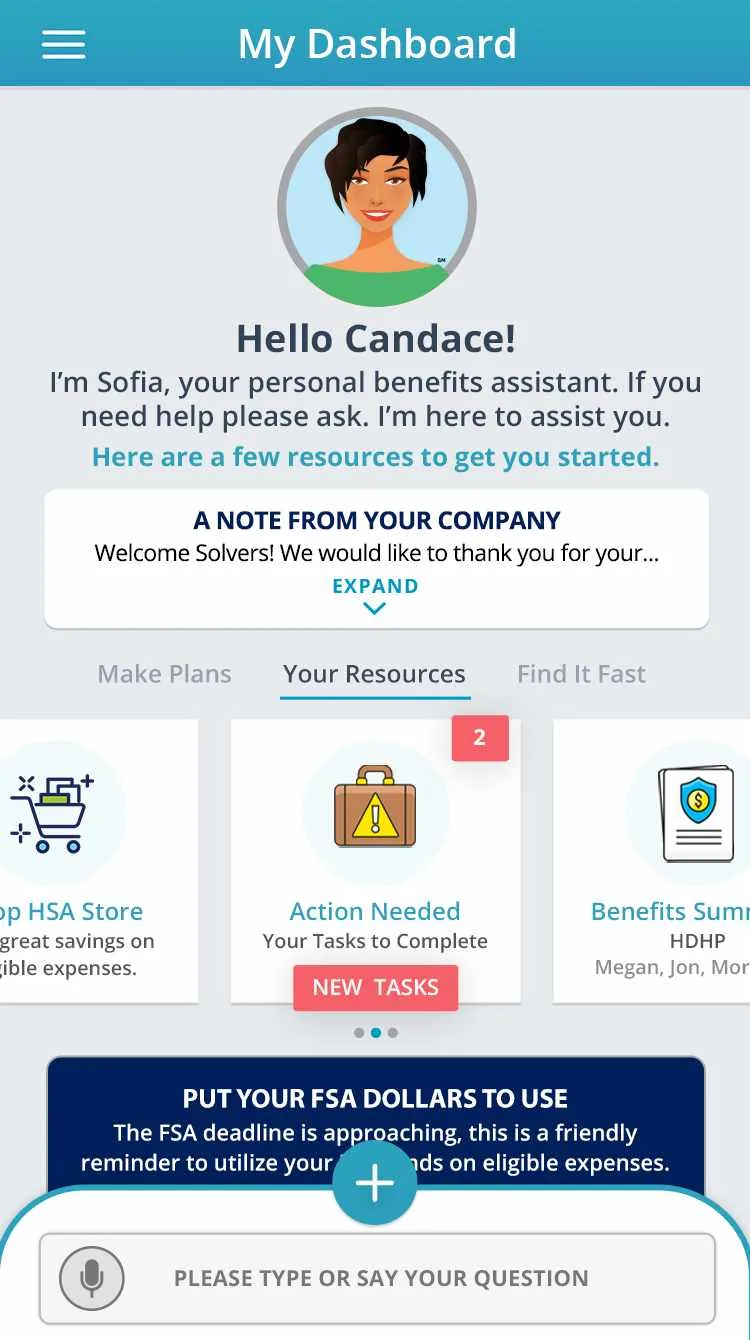
MyChoice Mobile dashboard with Sofia’s greeting, a note from the company and resource cards
03 · Act

MyChoice Mobile

A dashboard built around the moment: Sofia’s greeting, a note from your company and the tasks that need you.

Sofia Facelift for Mobile

Over 200 iteration screens took Sofia from a chat window to a mobile companion: a dashboard that greets you, a chat drawer that follows you, voice, languages and a feedback loop.
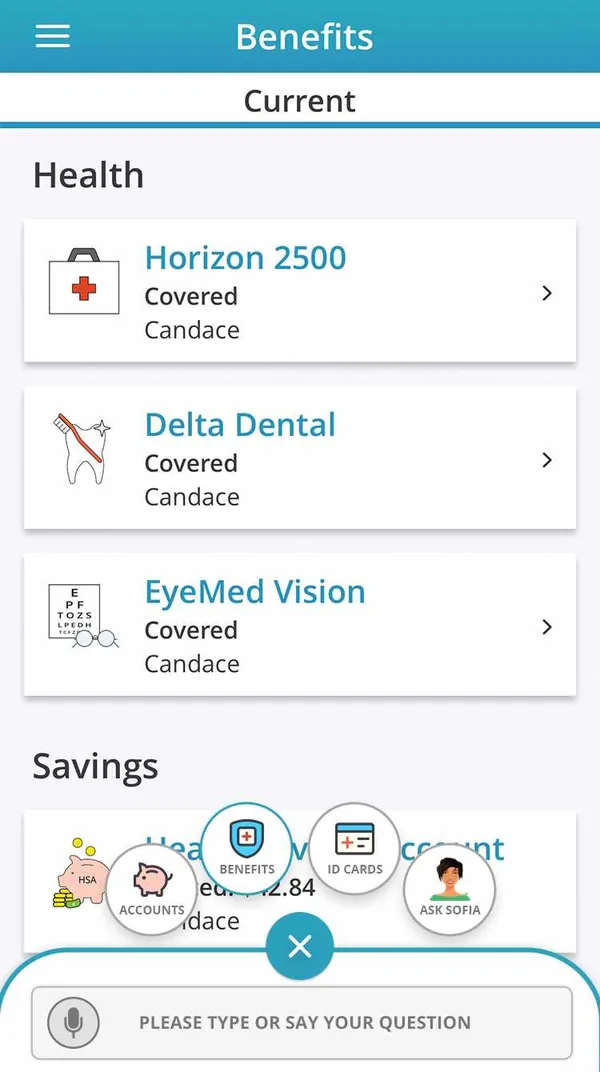
Benefits screen listing current health coverage and savings accounts
Benefits · Coverage at a glance
Dashboard with the radial quick menu open: accounts, benefits, ID cards and Ask Sofia
Quick menu · Ask Sofia from anywhere
Dashboard with an HSA promotion card inviting the member to start contributing
Passive engagement · Timely nudges
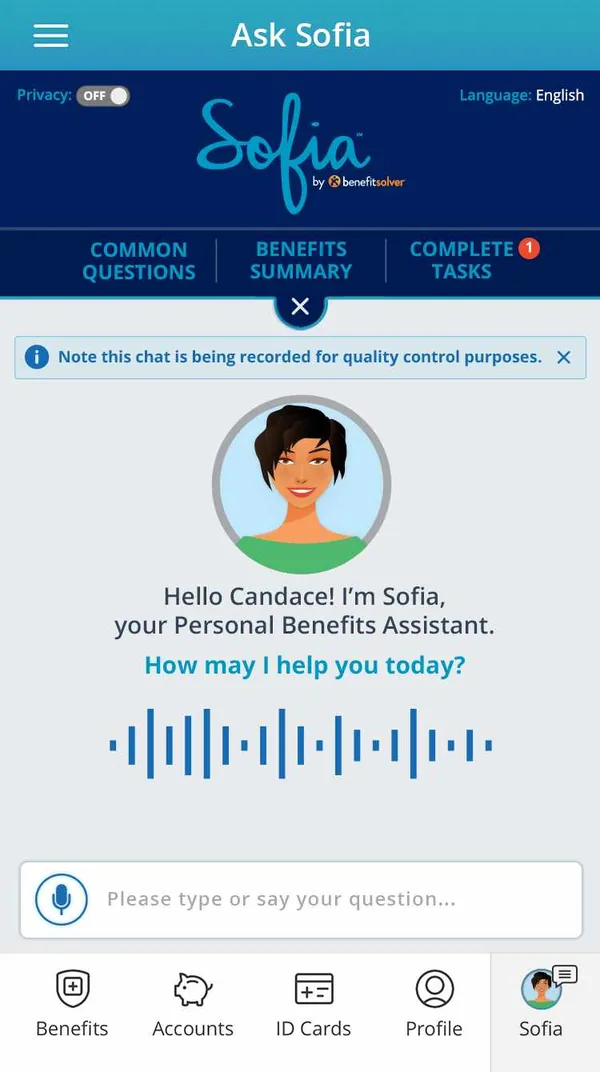
Sofia voice mode with a live waveform: How may I help you today?
Voice · Ask out loud
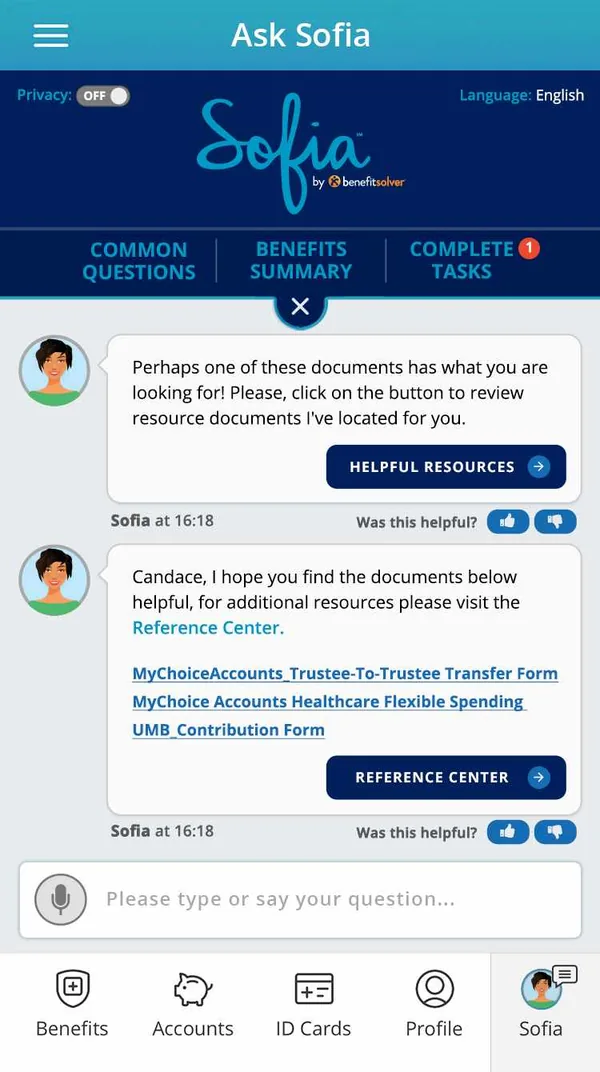
Sofia chat answer with helpful resources and links to the reference center
Chat path · Answers with sources
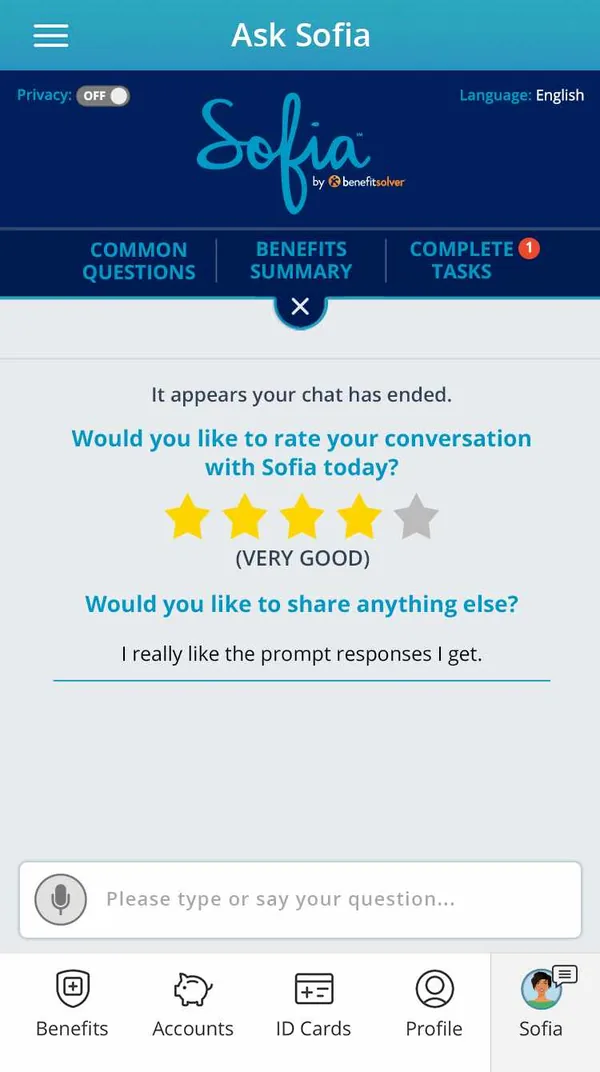
End of chat: rate your conversation with Sofia with stars and a comment
Feedback · Rate the conversation
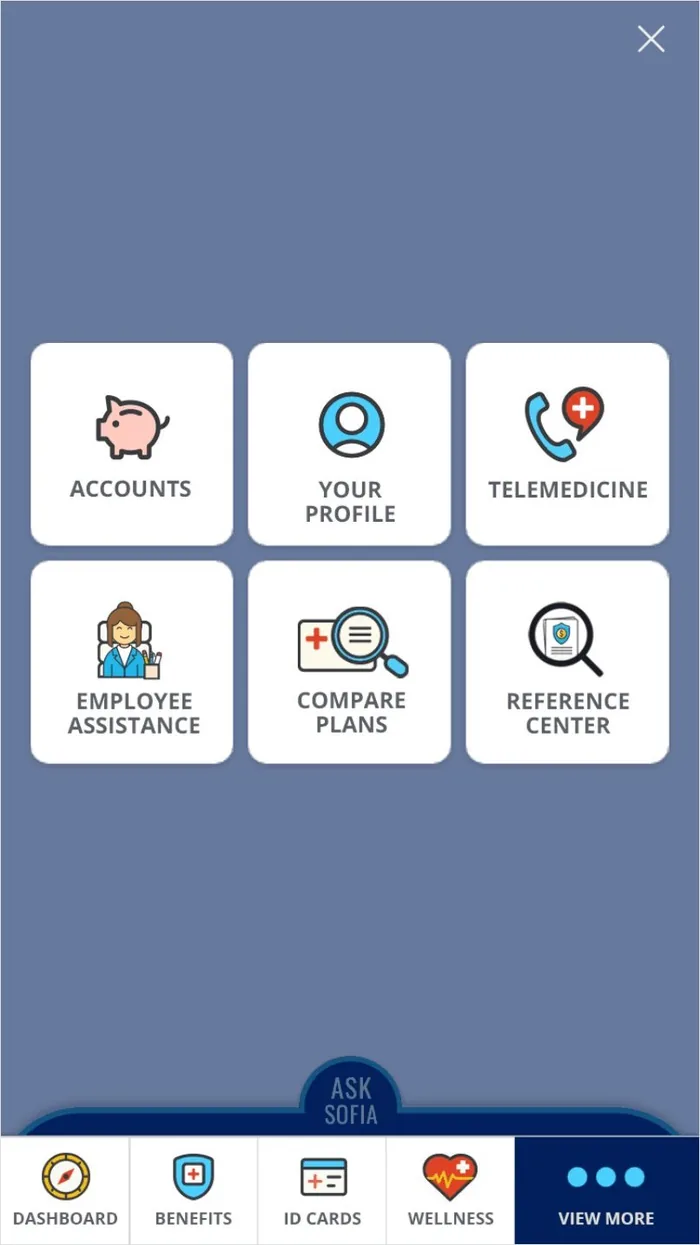
MyChoice Mobile View more menu with Ask Sofia always in reach
MyChoice Mobile · View more menu, with Ask Sofia always one tap away
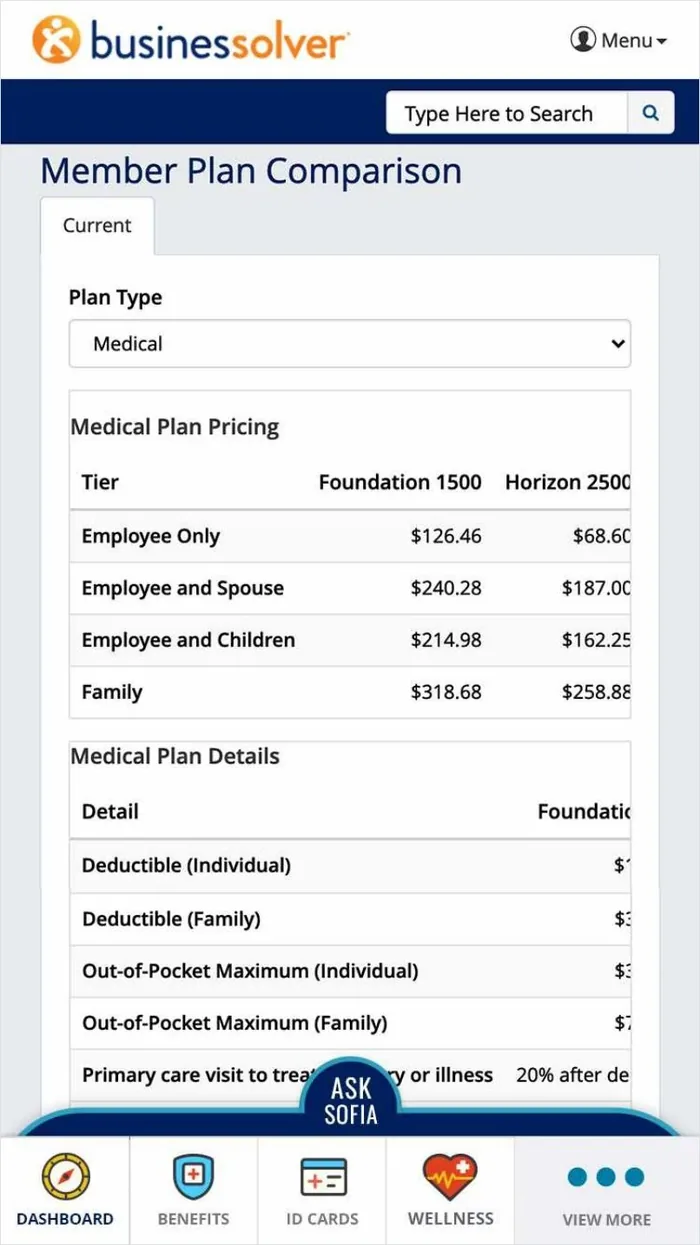
Member Plan Comparison on mobile
Member plan comparison · pricing and plan details side by side
// Self-service · SADV

219 screens, one calm path through verification.

I architected and shipped the Stand Alone Document Verification (SADV) flow: a 219-screen, multi-path system guiding members through document upload, verification and event-based workflows like marriage, dependents and tax.

Every path carries inline progress, success and error states, so members always know where they are and what’s next, alongside a member plan comparison tool.

Event-based paths

Marriage, dependents and tax each get their own path, so members only see what applies to them.

Inline states

Progress, success and error states sit right where the work happens, not on a separate screen.

Plain-language prompts

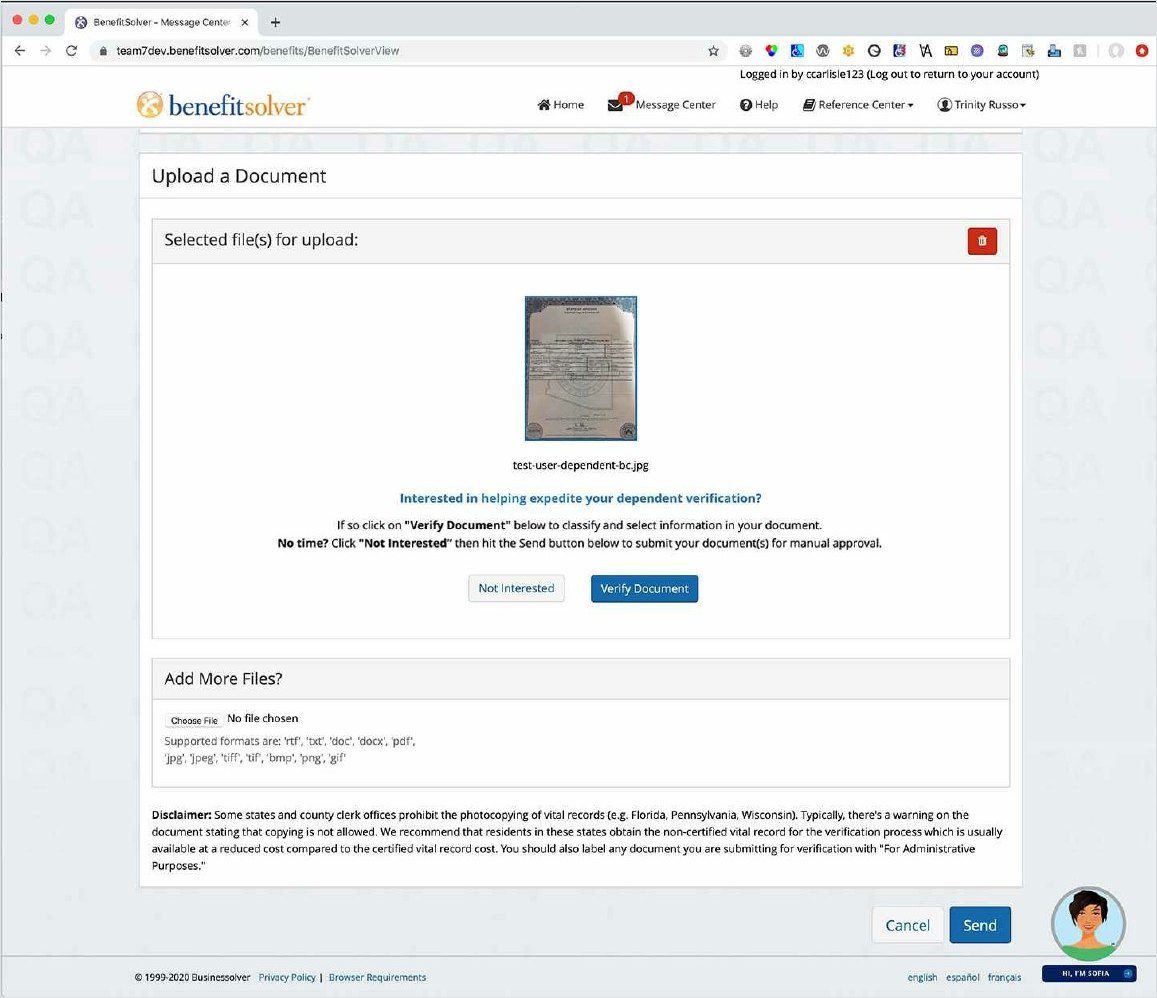
Clear asks like ‘Interested in helping expedite your dependent verification?’ invite members in.

One style guide

Documented patterns kept desktop and mobile consistent as the flow grew.

SADV upload screen with a selected document and Verify Document button
SADV · Step-by-step upload with real-time success confirmation
// Enterprise & admin tooling

Tools for the people behind the scenes.

I designed the Super Admin dashboard enterprise clients use to filter, review and manage thousands of verification events, with status tracking and bulk actions.

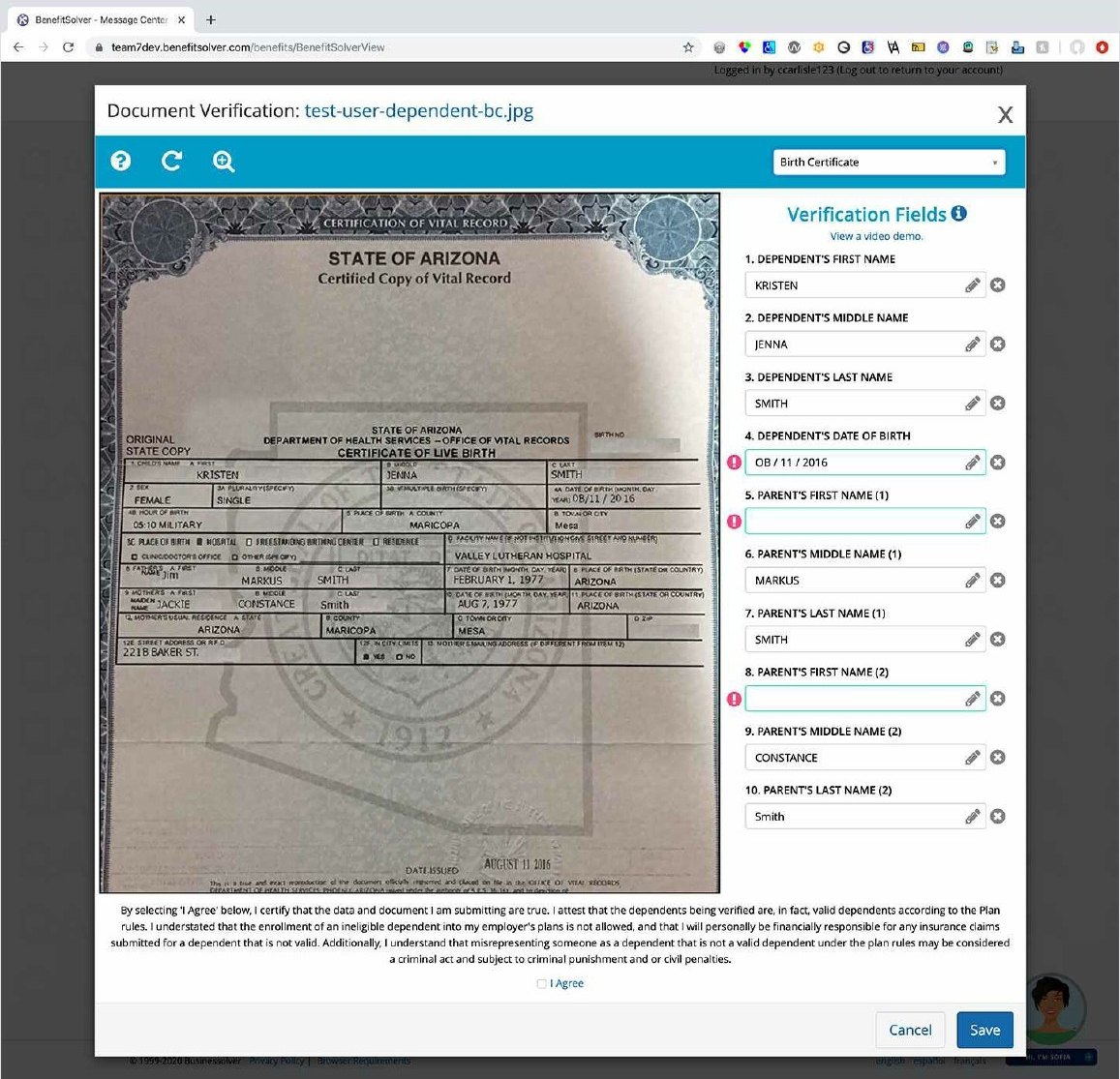
Underneath it, the Member Driven Labeler lets processors validate and label uploaded documents, like birth certificates and tax forms, against structured verification fields.

Member Driven Labeler showing a birth certificate beside structured verification fields
Member Driven Labeler · Document beside structured verification fields
[Add the Super Admin dashboard export: event filtering, status tracking and bulk actions]
Super Admin dashboard · placeholder
// Outcomes

Fewer calls, happier members, a shelf of awards.

82%
Chat resolution
34%
Call deflection
90%
Overall inquiry resolution
58 → 70
Platform NPS

MyChoice Mobile enhancements earned 4.35/5 self-service satisfaction, and scalable design systems cut new-feature production time 25–40%.
  • Inc. Best in Business · Sofia Platform + MyChoice Mobile2023
  • Stevie Award (Gold), UI/UX & Innovation · MyChoice Mobile2022
  • Artificial Intelligence Excellence Award · Sofia AI2022
  • HR Tech Award · Sofia Platform + MyChoice Mobile2021
  • Best Comprehensive Solution, 2021 HR Tech Awards · Businessolver2021
  • Digital Health Awards (Silver) · MyChoice Mobile2021
  • Digital Health Awards (Gold) · MyChoice Mobile2020

Want the full story?

Get in touch Résumé Next: HyveHealth → Back to all work